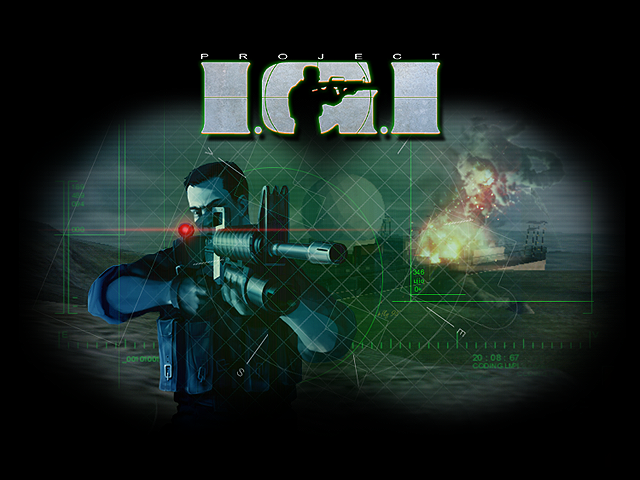

playigi.com is the original home of the Project I.G.I. browser port. It runs in your browser, never opens pop-unders, and never asks you to run a command or install anything to play. The main risk is landing on a copy, and this page shows how to tell the difference.
What playigi.com is
Project I.G.I.: I'm Going In was made by Innerloop Studios and published by Eidos Interactive in 2000. The browser port on playigi.com, along with its multiplayer and co-op, is made by Sachal. The optional HD textures come from the Neonix Modding Team. The site went live on 28 October 2026, and the game became playable in the browser the same day. Since then every update, from co-op on 2 November and Team Deathmatch on 6 November to the Zarya-9 objective map on 12 November, has been released here first.
For the full background, see About playigi.com.
Why this page exists
Other sites have copied playigi.com and the browser port without permission. The port's engine, code, multiplayer and co-op are Sachal's own work, and copying them without permission infringes his rights. Copied sites have been seen showing pop-under ads and fake "verify you are human" pages, including fake Cloudflare checks. Fake checks like these are a known way to trick people into running harmful commands or installing malware, so a copied site may put malware on your device.
The official statement is in the playigi.com official notice, and the warning signs are covered in more detail in Fake IGI sites: a warning.
How to check you are on the real playigi.com
1. Look at the address bar
The address must read playigi.com, exactly that, with nothing added except the page path, such as playigi.com/play. A name that looks similar, has extra words or letters, or ends in a different domain is not this site. If you came from a search result or a video link, check the address before you press anything.
2. Look for the playigi.com mark in the game
Since 15 November 2026 the real game shows a playigi.com mark on the main menu and on the loading screens. If the menu or loading screen has no such mark, or shows a different name, check the address bar: you may not be on the real site.
3. Multiplayer, co-op and updates come from here
The official port, with its multiplayer, co-op and updates, is released only on playigi.com. Team Deathmatch, Zarya-9 and the dedicated co-op rooms are run by playigi.com. A copy may show an old or broken version and does not get the fixes and features released here.
What the real site never does
playigi.com shows ads on its pages, including the home page and the guides. The real site itself will never:
- Open pop-under windows when you click Play, the menu or anywhere else.
- Show a fake check that asks you to prove you are human by pressing keys, opening a Run box or copying text.
- Ask you to paste or run a command in Run, the Terminal, PowerShell or any other program.
- Ask you to install anything to play. The game plays in the browser on PC and on phones.
- Ask for a password, card number or payment to play. The game is free.
Two things are optional and normal. Offline Mode in the game's settings can download missions, and your browser may offer its own Add to Home Screen or Install app. Neither ever asks you to run a file such as an .exe, .bat, .msi or .apk, or to paste a command.
Short checklist
- The address bar reads playigi.com.
- The playigi.com mark is on the main menu and the loading screens.
- No pop-under windows opened when you clicked.
- Nothing asked you to paste or run a command.
- Nothing asked you to run or install a file to play.
The address bar is the one check that settles it. The other points are warning signs: if any one fails, close the tab and type playigi.com yourself.
If you already used a copy
If a copied site made you paste a command, run a file or install something, assume your device may be affected:
- Remove anything you installed from that page, then run a full scan. On Windows, open Windows Security, then Virus & threat protection, then Scan options, choose Microsoft Defender Antivirus (offline scan) and press Scan now.
- From a device you trust, change the passwords you use on the affected device, starting with your email.
- Sign out of all sessions on your important accounts, and turn on two-step sign-in. A new password alone does not end sessions already taken.
If you only clicked through ads and did not run or install anything, close the site and clear its notifications permission if you allowed it.
Copies can be reported to the companies that host them and to search engines. Bookmark playigi.com so you always come back to the real one.
Play on the real site
Play Project I.G.I. on playigi.com, or start with how to play Project IGI online, IGI on Android and iPhone, or multiplayer and co-op. All guides are listed on the guides page.