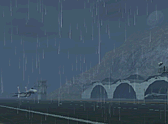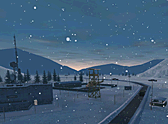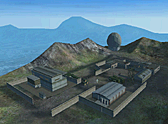

You can play Project I.G.I.: I'm Going In (IGI 1) free at playigi.com, in a browser tab on a PC, laptop, phone or tablet. There is nothing to install and no account to make: press Play, click, tap or press a key on the start screen, and the main menu comes up. All 14 missions of the 2000 campaign are there, from Trainyard to Finding the bomb.
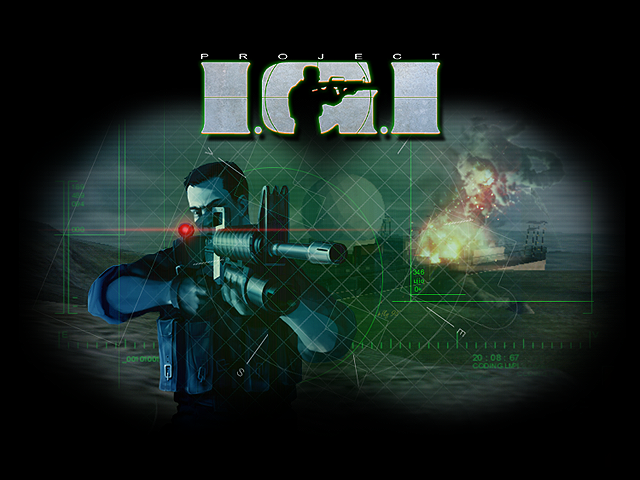
What loads when you press Play
playigi.com is the first and original browser port of Project I.G.I., made by Sachal. It is not a video stream or a remote PC. The game runs on your own device, built from the original game's maps, models, sounds, menus and mission scripts. You get the same order the PC game had:
- Start screen. Browsers only allow sound after your first click, tap or key press, so the game waits on a start screen. On a PC it shows Press F12 for fullscreen, and any click or key other than Esc opens the main menu. On a phone it says Tap to start.
- Main menu. IGI's own menu, with Play Project IGI (the mission list), Multiplayer, Configuration and Select Player, plus the browser version's Cheats menu.
- Loading screen and intro. Pick a mission and its data downloads. Each mission is about 7 to 10 MB with the original textures, so on a normal connection the wait is short. Space or Enter skips a cut-scene (a tap on a phone).
On a PC, the first click inside the mission captures the mouse so you can look around. Esc frees it and opens the pause menu.
PC controls: the default keys
A first visit starts with the Modern preset, a standard W A S D layout:
| Action | Key |
|---|---|
| Move | W / A / S / D |
| Fire | Left mouse |
| Alternate fire (sights, M203 grenade, binocular zoom) | Right mouse |
| Reload | R |
| Activate (doors, ladders, switches, mounted guns) | E |
| Crouch (hold) | C |
| Jump | Space |
| Toggle walk / run | Caps Lock |
| Walk while held | Left Shift |
| Next / previous weapon | Wheel down or X / wheel up or Q |
| Weapon groups | 1 to 9 |
| Binoculars | B |
| Map computer | M |
| Zoom in / out | Page Up / Page Down, or the mouse side buttons |
| Drop weapon | G |
Crouch is on C and not Ctrl because Ctrl + W closes the browser tab. When a sight or the binoculars are zoomed in, the mouse wheel zooms instead of changing weapon. Esc, Tab and F2 to F4 are fixed and cannot be rebound. The number keys step through groups: 2 cycles the pistols, 3 the submachine guns, 4 the assault rifles, 7 the grenades and mines, and 9 selects the medipack.
Two things here are not in the 2000 game: the hold-to-walk key and the G key that drops your drawn gun.
The Original IGI preset
If you learned IGI on the PC, go to Configuration, Controls and set Key Preset to Original IGI. That is the factory key list of the 2000 game: arrow keys to move, Backspace for alternate fire, Enter to reload, Right Shift to activate, Numpad 0 to jump, right mouse for next weapon, O for previous weapon, Space for binoculars, C for the map computer and W to toggle walk and run. One change: crouch is Z, not Right Ctrl. The 2000 game's peek key has no equivalent here.
A third preset, Arrow Keys, puts everything round the arrows for players who keep the mouse in the other hand. Any action can also be set by hand: click its row on the Controls screen, then press the key or mouse button you want. A row shown in red means the same input is bound twice. The same screen has Invert Mouse and Mouse Sensitivity.
Playing on a phone or tablet
On a phone or tablet the game switches to on-screen touch controls. Turn the device sideways, since the game only plays in landscape.
- Left half: movement stick. A small push walks, a push past about 60 percent runs.
- Right half: swipe anywhere to look.
- Buttons: FIRE (hold), RELOAD, JUMP, CROUCH (tap to crouch, tap again to stand) and USE, which lights up with an icon when there is something to use. Hold USE to pick locks and climb. ZOOM shows for the MP5 SD3, the Dragunov and the binoculars. ALT shows only for the M16 A2's grenade launcher and the proximity mine.
- Top of the screen: the weapon switcher with your ammo, plus BINO, MAP and the pause button.
Customize Controls, on the touch Controls screen and in the pause menu, lets you drag any button somewhere else, resize it and change how see-through it is. The Touch Controls settings cover look speed, invert look, aim assist (on by default), auto fire (off by default) and gyro aiming. Aim assist works only with touch or gyro (and controllers in Local Split-Screen co-op), never with a mouse.
Add it to your home screen
The game can be installed like an app, which gives you a full-screen icon called IGI. Open the game page, then on Android use your browser's Install app or Add to Home Screen option. On iPhone and iPad, open it in Safari and choose Share, then Add to Home Screen. This matters most on iPhone and iPad, where the Fullscreen setting is not available. For phone-specific tips, see playing IGI 1 on Android and iPhone.
Configuration, Offline Mode can download single missions or all 14 so you can play with no connection. All missions with the original textures come to about 70 MB (about 90 MB on a touch device). The device must have opened the game online at least once first.
Settings worth knowing
Settings are under Configuration on the main menu, and Graphics, Display and Controls can also be opened from the pause menu during a mission.
- Graphics: a Quality preset (Potato, Low, Medium, High, Ultra), Textures, Texture Detail, Performance Level (render resolution) and Draw Distance. Phones and tablets also get Battery Saver.
- Display: FPS Limit (60 by default), VSync, Show FPS, Fullscreen, UI Scale, Blood Enabled and Game Tips.
- Sound: master, speech, effects and music volume, 3D Sound, and Mute in Background.
The game always runs its logic at 30 ticks per second, so a lower FPS limit makes it look less smooth but never slows the game down.
HD textures
Graphics, Textures switches between Original, the textures from the 2000 game and the default on every device, and HD (Neonix), upscaled textures made by the Neonix Modding Team. The change applies when a mission loads, so restart the mission or start the next one to see it. HD uses far more graphics memory, about eight times as much on a phone in the first mission, so phones are better off on Original.
Languages
The Language screen has the five languages of the original release (English, Français, Deutsch, Italiano, Español) plus seven added for the browser version: Vietnamese, Hindi, Urdu, Brazilian Portuguese, Russian, Sinhala and Roman Urdu. Menus, objectives, messages, subtitles and map computer texts change. Spoken lines stay in English, with translated subtitles, and weapon names on the HUD are not translated.
Difficulty and saving progress
Difficulty belongs to the player profile. Under Select Player, Add Player asks for a name and then Easy, Medium or Hard. It cannot be changed for that profile later, so make a second profile if you want to try another level. On Hard you take more damage per hit, most enemies take more hits to put down, and they react faster and shoot straighter. Medium is the 2000 game's default.
Like the original, IGI 1 has no saves in the middle of a mission. Finishing a mission opens the next one for that profile, and Select Mission lists every mission the profile has reached. Your profiles, progress and settings are kept in this browser on this device. Clearing site data or playing in a private window starts you fresh, and progress does not move to another browser by itself.
If you want mid-mission saves anyway, the browser version adds a Saves option on the Cheats menu. It gives five save slots plus a quick save on F5 for each mission. The cheats and FAQ guide covers the full list.
If the game runs slow
The first time you play, the game picks a quality level that suits your device: High on most desktops, Medium on tablets and Low on phones. If it still stutters, try these in order:
- Set Textures to Original if you switched to HD.
- Lower the Quality preset one step. Potato is the lightest.
- Turn Performance Level down. This lowers the render resolution and helps most on weak graphics chips and high-resolution phone screens.
- Set Draw Distance to Medium or Low.
- On a phone, leave Battery Saver on. It caps the game at 30 FPS and keeps the device cooler.
- Close other heavy tabs and apps, plug in a laptop, and check that hardware acceleration is on in your browser settings.
Show FPS, under Display, tells you whether a change helped.
Where to go next
New to IGI? The first mission, Trainyard, starts you with a knife, a Glock 17, a silenced MP5 SD3 and binoculars. The Trainyard walkthrough and the full walkthrough of all 14 missions take it from there, and the stealth tips explain how to avoid alarms and cameras. To play with friends, read about multiplayer and co-op.
The original game was made by Innerloop Studios and published by Eidos Interactive in 2000. When you are ready, open Play and start with Trainyard.