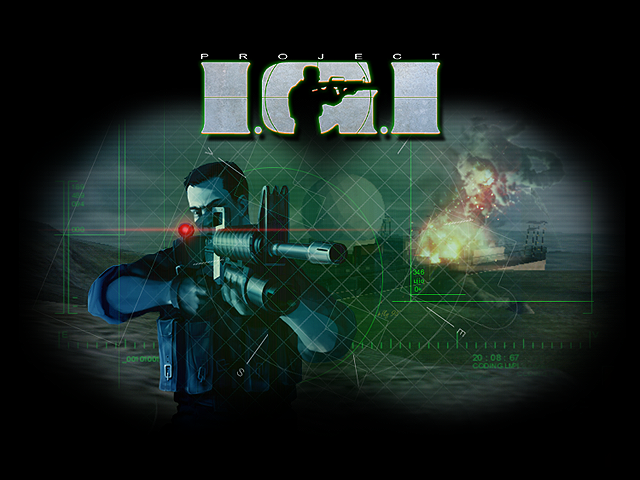

Yes, you can play Project I.G.I. on a phone. Open playigi.com in the browser on your Android phone, iPhone or tablet, turn the device sideways and the game starts with on-screen touch controls, with no app store and no install needed.
Getting started on a phone
The game switches to touch controls by itself when your device has a touch screen and no mouse or trackpad. A touch laptop or a tablet with a mouse keeps keyboard and mouse controls.
- Open the game on playigi.com.
- Hold the phone in landscape. In portrait the game covers the screen with "Turn your device sideways to play".
- On the start screen, tap to start. On Android that same tap also puts the game in fullscreen.
- Pick or create a player profile. A tap on the name box opens the on-screen keyboard; press Done, then tap a difficulty (Easy, Medium or Hard). The difficulty is fixed for that profile, so choose with care.
In menus, tap to select, double tap a list item to run it and drag to scroll. If you are new to the game itself, read how to play Project IGI online first.
Touch controls layout
You can move, look and shoot at the same time.
- Left half: movement stick. Push it a little to walk, push it past about 60 % to run.
- Right half: look. Swipe anywhere that is not a button to turn the view.
The buttons on the right:
| Button | What it does |
|---|---|
| FIRE | Hold to shoot. Sliding your finger on it also turns the view, so you can aim while firing. |
| ALT | Alternate fire. Only shows for the M16A2 (its M203 grenade launcher) and the proximity mine. |
| RELOAD | Only shows for guns with a magazine. |
| ZOOM | Only for the MP5SD, the Dragunov and the binoculars. Tap to go into the sight and out again; hold to zoom further. |
| JUMP | Jump. |
| CROUCH | Tap to crouch, tap again to stand. |
| USE | Opens doors and works ladders, computers and other objects. It glows and shows the action icon when something can be used. Hold it for lock picking and climbing. |
Along the top you find the weapon switcher, with arrows on each side of the current weapon's icon and its ammo (magazine / reserve) under it; tap the arrows or the icon to change weapon. Next to it are BINO (binoculars), MAP (the map computer) and II (pause). Your health figure sits in the top-left corner. The IGI weapons guide explains each weapon.
- Tap during a cut-scene to skip it. When you die, a tap ends the failed mission.
- On the map computer: tap to click, double tap to zoom in, drag to pan, pinch to zoom.
- Switching away from the browser pauses the mission.
Move and resize the buttons
Open Customize Controls from the touch Controls screen or from the pause menu. You can drag any control to a new place, including the stick, the weapon switcher and the health figure. Tap a control to change its size (50 to 200 %) and opacity (20 to 100 %), or hide it. Fire, the stick and Pause cannot be hidden. Save keeps the layout on that device, Reset goes back to the default layout (press Save to keep it), Cancel drops your changes.
Touch settings worth changing
On a phone the Controls screen shows touch settings instead of key bindings:
- Look Sensitivity and Vertical Look: how fast swipes turn the view. Invert Look flips up and down.
- Aim Assist (on by default) and Aim Strength: gently pulls your aim towards a nearby enemy and slows the look while the crosshair is over one. It does nothing while you are idle (not moving, looking or firing).
- Auto Fire (off by default): guns fire on their own while the crosshair is on an enemy. It never fires rockets, the knife or thrown items.
- Controls Size and Stick Size: bigger buttons for big thumbs.
- Fixed Stick (on): the stick stays in its corner. Turn it off and the stick appears where your thumb lands.
- Look With Fire Button (on): turn it off if you keep moving the view by accident while shooting.
- Gyro Aiming: Off, Always or When Zoomed. With it on you aim by turning the phone. On iPhone the browser asks for motion permission on your first tap after turning it on.
Add to home screen and full screen
The game can be added to your home screen as an app called "IGI" that opens full screen in landscape. Open playigi.com/game/ directly in the browser first, then:
- Android (Chrome): in that page, open the browser menu and pick Install app or Add to Home screen.
- iPhone and iPad (Safari): tap Share, then Add to Home Screen. On iPhone this is the only way to hide the browser bars.
Offline missions
Under Configuration, Offline Mode lets you download missions to the device, one at a time or all 14 at once, and remove them again. The full set with the original textures is roughly 90 MB on a touch device; on a phone a single mission is about 11 to 16 MB, plus around 4 MB of shared files the first time. If the connection drops, the mission shows Partial; tap it to carry on from where it stopped. You must open the game online at least once on that device before it can start offline.
Performance and battery tips
On the first run a phone starts on the Low quality preset, or Potato on weaker phones: original textures at reduced detail, lower render resolution, a medium draw distance (short on Potato), a 30 FPS limit and Battery Saver on. If your phone gets hot or stutters:
- Keep Battery Saver on (30 FPS cap, lower resolution, shorter draw distance).
- Stay on Original textures. The optional HD textures by the Neonix Modding Team look sharper but use about eight times the graphics memory on a phone, which can slow down or crash a mid-range device.
- Lower Performance Level or Draw Distance in Graphics, or pick the Low or Potato quality preset.
Controllers
Gamepads are for Local Co-op split-screen, which needs a desktop computer. Online co-op and team matches do work on phones with the same on-screen controls; see multiplayer and co-op.
Saving your progress
Like the original 2000 game, IGI 1 has no saves in the middle of a mission. Finishing a mission unlocks the next one for your profile, and that progress is kept in the browser on your device. Clearing site data, or playing in a private tab, starts you over. The port does add optional save games through its Saves cheat; on a phone a SAVE button then appears on screen. Details are in the cheats and FAQ. Stuck on a mission? Try the walkthrough.
Project I.G.I. was made by Innerloop Studios and published by Eidos Interactive in 2000. playigi.com is the first and original browser port, made by Sachal. Copies of the site exist; the only real address is playigi.com. Grab your phone, turn it sideways and start playing.