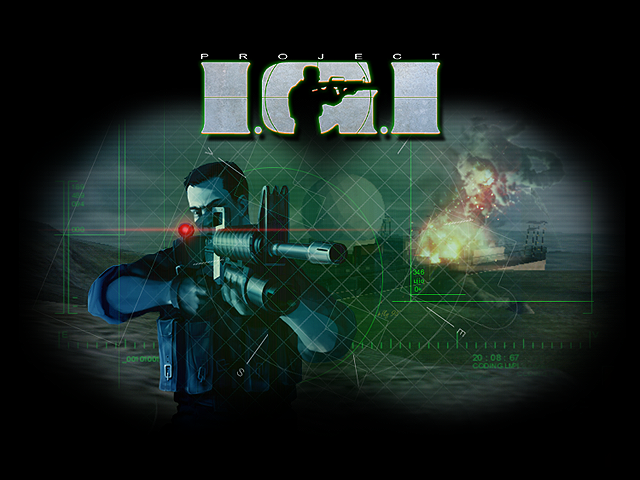

The browser version of Project I.G.I. at playigi.com has a built-in Cheats menu with seven switches, including Unlimited Health, Unlimited Ammo, All Weapons and mid-mission saves. There are no codes to type: you turn cheats on with Yes / No toggles in the menu. Below are the cheats and answers to common questions about the port.
Cheats: how to turn them on
Open Cheats from the main menu (it sits after Select Player) or from the pause menu during a mission (press Esc; it sits after Controls). Each cheat has a Yes / No toggle. OK applies your choice, Cancel or Esc throws it away. Your choices are kept in the browser. While any cheat is on, a CHEATS line at the top right lists the active ones.
| Cheat | What it does |
|---|---|
| Ghost Mode | Guards, cameras, sentries and enemy vehicles do not see, hear or target you, and you never raise an alarm. |
| Free Camera (F2) | In a mission, F2 switches to a free-flying camera. Your soldier stays frozen where he stood while you fly around. |
| Unlimited Health | Hits still shake the screen and make sound, but do no damage. It also heals damage you had already taken. It does not bring a dead player back. |
| Unlimited Ammo | The magazine never runs out, including grenades, the M203 and mounted guns. Mission items such as C4 are not affected. |
| All Weapons | Gives every weapon in the cycle plus binoculars, with full magazines, full reserves, a full medipack and six M203 grenades. |
| Saves (F5) | Turns on save games inside a mission. F5 is quick save. |
| All Missions | Every mission appears in Select Mission, even ones your profile has not reached. |
Cheats are off in co-op (online and split-screen), and the Cheats entry is not shown there. For the stealthy way through without Ghost Mode, read the stealth tips.
What about cheating in multiplayer?
The menu cheats only work in single player. Multiplayer matches and online co-op are for fair play. Players who cheat online are removed and banned permanently, and moderators watch the rooms. See multiplayer and co-op for how matches work.
Which difficulty should I pick, and can I change it?
There are three levels: Easy, Medium (the default) and Hard. You choose when you make a player profile with Add Player, and it stays fixed for that profile. To play on another level, make a second profile. Each profile keeps its own name, difficulty and progress.
Difficulty changes more than enemy health. On Easy you take less damage per hit and on Hard more. Guards are also tougher, aim better from range and react faster on the higher levels, and they keep hunting you longer after losing sight of you. A regular guard with an AK goes down to about one rifle hit on Easy, two on Medium and three on Hard. A shot to the head kills him on any level. Your health never comes back by itself, so medipacks matter on every setting.
Can I save in the middle of a mission?
The original 2000 game had no saves inside a mission: you play each mission from start to finish, and completing one opens the next for your profile. The browser version keeps that as the normal rule.
If you want saves, turn on the Saves cheat. You then get a Game Save entry in the pause menu, under Restart Mission, with Load Game and Save Game. Each mission has a quick save slot (F5) and five numbered slots. Saving is refused at some moments, for example during a cut-scene, while using a terminal or picking a lock, on a ladder, zip-line or mounted gun, with the map computer open, or after you are dead. Saves live in your browser, so clearing site data or using a private window loses them.
Why did my mission fail and restart?
A mission ends in failure in two ways:
- You died. Your soldier falls and the view switches to third person. Press Space or Enter (or tap on a phone) to end the mission, then choose Restart Mission.
- The mission script failed you. Some objectives have a fail condition. If a person you must protect dies, or you break a rule such as letting the alarm run for more than 30 seconds in Missile Trainyard, the game shows "Objective Failed!" or "Mission Failed!" and the menu opens with Resume Game greyed out. Restart Mission is the way on.
Open the map computer (M with the default keys, C with the Original IGI keys) and check the Objectives page: each objective shows Complete, Incomplete or Failed, so you can see what went wrong. The walkthrough covers each mission's objectives in order.
In online co-op, the whole team going down is a team wipe, and the mission starts again by itself after a few seconds.
How long is the campaign?
The campaign has 14 missions, from Trainyard to Finding the bomb. How long it takes depends on how you play. A careful stealth run takes longer than charging in, and Hard adds retries. Since there are no checkpoints, a mission lost near the end means starting it again, which is where most of the time goes.
What languages can I play in?
The 2000 game shipped in English, French, German, Italian and Spanish. The browser version adds Vietnamese, Hindi, Urdu, Brazilian Portuguese, Russian, Sinhala and Roman Urdu, 12 in all. Change it under Configuration > Language. Menus, objectives, messages, subtitles and map computer texts change at once. Spoken voices stay in English with translated subtitles, and weapon names on the HUD are not translated.
Are there HD textures?
Yes, optional. Under Configuration > Graphics > Textures, pick Original (the 2000 textures, the default) or HD (Neonix), upscaled textures by the Neonix Modding Team. The change applies when a mission loads, so use Restart Mission or start the next one. HD needs far more graphics memory, so phones should stay on Original. The Ultra quality preset is the only preset that picks HD by itself.
Can I play offline?
Yes. The game can be installed like an app (Install app or Add to home screen on Android, Share then Add to Home Screen in Safari on iPhone and iPad). Then use Configuration > Offline Mode to download missions one at a time, or Download All. All 14 missions with the original textures are about 70 MB, with HD about 139 MB. Downloads pick up again after a cancel or a lost connection. Two things to know: the device must have opened the game online once, and a mission played offline needs the texture set you have selected, so download the one you use. More on phones in playing on Android and iPhone.
Who made this version?
Project I.G.I.: I'm Going In is by Innerloop Studios, published by Eidos Interactive in 2000. playigi.com is the first and original browser port of the game, made by Sachal, with optional HD textures by the Neonix Modding Team. Copies of the site exist; the only real address is playigi.com.
Ready to go in? Press Play, make a profile at the difficulty you want, and start with mission 1.